
About This Guide
This guide is for anyone who has typed a sum into a calculator and got an answer they did not expect. It explains what a four-function calculator does with your keystrokes, why order of operations changes the result, and how the percent and memory keys actually behave.
Here's a small experiment. Type 2 + 3 × 4 into whatever calculator is nearest you and look at the answer.
You'll get 14. A lot of people expect 20, and they're often quite sure about it. Neither group is being careless — they're using two different rules, and only one of them is the rule calculators actually follow.
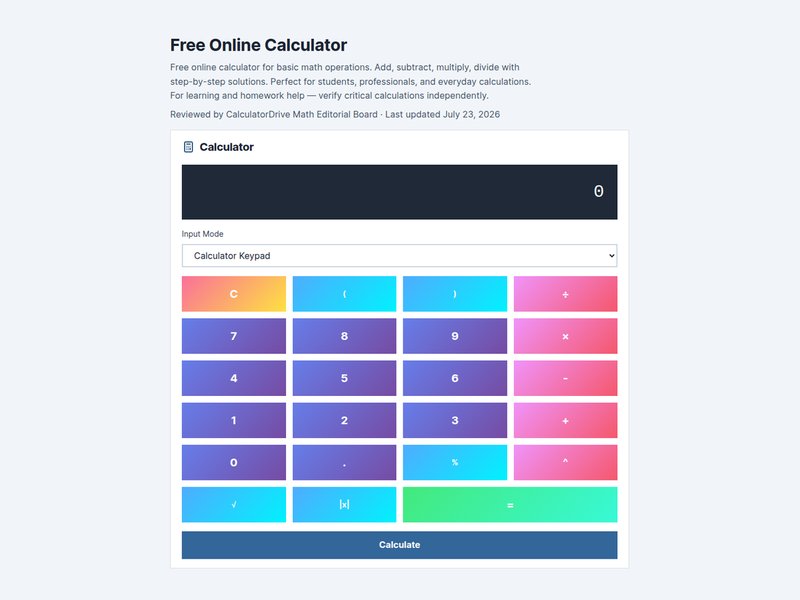
That gap is behind an enormous share of "my calculator is wrong" moments. It almost never is. It answered a different question from the one you thought you were asking. This guide walks through the three places that gap opens up — order of operations, the percent key, and memory — using the basic calculator as we go.
Order of operations: the rule behind most wrong answers
Where does 20 come from? Reading strictly left to right: 2 + 3 is 5, and 5 × 4 is 20. Perfectly logical, and it's how a shop till or an old adding machine behaves.
Where does 14 come from? From the convention mathematics settled on centuries ago: multiplication gets resolved before addition. So 3 × 4 = 12 happens first, then 2 + 12 = 14.
Why that convention rather than plain left-to-right? Mostly because it makes algebra readable. Writing 3x + 2 means "three lots of x, plus two" without needing brackets every time, and that saving compounds across every formula you'll ever meet. The rule earns its keep the moment expressions get longer than a shopping list.
You were probably taught it as an acronym — PEMDAS in the US, BODMAS or BIDMAS in the UK. Different words, same hierarchy:
- Brackets / Parentheses
- Exponents / Orders — powers and roots
- Multiplication and Division, left to right
- Addition and Subtraction, left to right
The bit the acronym gets wrong
PEMDAS makes it look like multiplication beats division, and addition beats subtraction. It doesn't. Multiplication and division share a level and get resolved left to right. Addition and subtraction share the level below, same deal.
This is not pedantry. It changes answers:
100 ÷ 4 ÷ 5is 5, because it reads as (100 ÷ 4) ÷ 5 = 25 ÷ 5. Work right to left instead and you'd get 100 ÷ (4 ÷ 5) = 125. Same keystrokes, twenty-five times the answer.10 − 2 × 3 + 1is 5. Multiplication first gives 6, then left to right: 10 − 6 = 4, and 4 + 1 = 5.
Here's the practical version of all this. If you ever have to stop and think about how an expression will be read, that's your cue to add brackets. (2 + 3) × 4 is unambiguous to you, to the calculator, and to whoever inherits your spreadsheet next year. Brackets cost nothing.
Why your phone and your desk calculator disagree
Two people can type the same thing into two calculators and get different results. Usually it's not a fault — it's two different entry systems.
Algebraic entry waits for the whole expression, then applies the order of operations to it. Phones, computers, spreadsheets and scientific calculators nearly all work this way.
Chain entry evaluates each operation the instant you press the next operator. Cheap pocket calculators and till-style machines often work this way, because in a shop the running total is the point.
On a chain-entry device, pressing 2 + 3 × 4 genuinely does show 5 after you press ×, and finishes at 20. It isn't broken. It's a different tool for a different job. Brackets, or splitting the calculation into steps, makes both machines agree — which is the real argument for using them.
The percent key doesn't do what you think
The % key is the least consistent key on any calculator. It isn't a single operation; it's context-sensitive, and manufacturers genuinely implement it differently.
On most calculators, 200 + 10% gives you 220, not 200.1. The machine interprets the 10% as "10% of the 200 you just entered", works out 20, and adds it. That's usually what a shopper wants, but notice it's not what the keys literally say.
If you'd rather be certain than lucky, do percentages as explicit multiplication:
- Add 10% → multiply by 1.10
- Take 30% off → multiply by 0.70
- Find 15% of something → multiply by 0.15
One multiplication, no ambiguity, works identically on every device you'll ever pick up. For anything more involved — percentage change, working backwards from a sale price, discount-then-tax chains — the percentage calculator asks you which of the three percentage questions you actually mean, and our guide to calculating percentages works through each one properly.
Memory keys, demystified
The memory row confuses people because the labels are abbreviations of abbreviations. It's genuinely simple:
- M+ adds whatever is on screen to memory
- M− subtracts it
- MR (or MRC pressed once) recalls what's stored
- MC (or MRC pressed twice) wipes it
Where this earns its place is totalling subtotals. Say you're pricing a job: 3 hours at £45, 12 units at £7.50, plus £30 delivery. Work out each line, press M+ after each one, then hit MR at the end for the total — no scribbling intermediate figures on the back of an envelope, no losing one.
The related trap sits right next door. C clears only the number showing. AC clears everything, including any operation still pending from your last calculation. When a result looks impossible, a leftover pending operation is the usual culprit. Press AC, start again, and it'll behave.
Four habits that stop wrong answers
None of these are about being better at arithmetic. They're about catching the mistake before it matters.
Estimate before you type
Decide roughly what the answer should be first. An 18% tip on £47.50 is "a bit under a tenner". If the screen says 855, you've slipped a decimal place somewhere, and you'll spot it instantly instead of paying it. This one habit catches more errors than everything else combined, and it takes about a second.
Break long expressions up
One long typed string is exactly where order-of-operations errors hide. Two short calculations are far easier to check than one long one, and if something's wrong you'll know which half.
Re-key, don't re-read
When a result surprises you, type it again from scratch rather than squinting at the display trying to spot the problem. Mis-keyed digits are enormously more common than calculator faults, and your eyes will happily read what you meant to type rather than what you did.
Watch the decimal point above all else
Most arithmetic errors are small and survivable. Decimal-point errors are off by a factor of ten, a hundred, a thousand. If you check one thing before acting on a number, check where the point sits.
When you've outgrown a basic calculator
Four functions cover most daily arithmetic. Here's where to go when they don't.
| If you need… | Use |
|---|---|
| Trigonometry, powers, logarithms, memory registers | Scientific Calculator |
| Percentage change, reverse percentages, discounts | Percentage Calculator |
| Division showing every step, or a remainder | Long Division Calculator |
| Exact fraction arithmetic instead of decimals | Fraction Calculator |
| The mean of a whole list of numbers | Average Calculator |
| A value rounded to set decimal places | Rounding Calculator |
| Comparing quantities or scaling a recipe | Ratio Calculator |
If you're solving for an unknown rather than computing a result, you've crossed into algebra — our algebra and equations guide picks up from there.
A few things worth remembering
- Multiplication and division outrank addition and subtraction — but not each other.
- Brackets remove all doubt and cost nothing.
- The percent key is a convenience, not a precise instrument. Multiply explicitly when it matters.
- AC clears more than C does, and that difference explains a lot of odd results.
- An estimate before you type beats a check after you've paid.
Frequently asked questions
Is 2 + 3 x 4 equal to 14 or 20?
It's 14. Multiplication is resolved before addition, so 3 × 4 = 12 comes first, then 2 + 12. You only reach 20 by working strictly left to right and ignoring the order of operations.
Why does my calculator give a different answer to my phone?
Almost always because one uses algebraic entry and the other uses chain entry. Algebraic waits for the full expression before applying precedence; chain evaluates as you type. Adding brackets makes both agree.
What does the percent key actually do?
On most calculators it turns the number you just entered into a percentage of the preceding value, which is why 200 + 10% gives 220. Because behaviour varies between models, multiplying explicitly (× 1.10) is the more reliable habit.
What's the difference between C and AC?
C clears only the currently displayed number. AC clears the display, any pending operation, and on most calculators the memory too. If a calculation is behaving strangely, press AC.
What do M+, M−, MR and MC do?
M+ adds the displayed number to memory, M− subtracts it, MR recalls the stored total, and MC clears it. They're at their best for adding up a series of subtotals without writing anything down.
Is this basic calculator free?
Yes. The basic calculator is free, needs no sign-up, and runs entirely in your browser. Every tool is listed on the math calculators page.
How We Created This Guide
Every expression in this guide was evaluated programmatically and checked by hand against the CalculatorDrive Basic Calculator. Where calculator models genuinely differ — chain-entry versus algebraic entry, and percent-key behaviour — we say so rather than presenting one manufacturer's convention as the universal rule.
Sources & References
Formulas, conventions and worked examples in this guide follow standard mathematical references and published standards bodies:
Accuracy note: Worked examples here are rounded for readability, and calculators can legitimately disagree in the last decimal place because of floating-point storage and differing rounding rules. For graded coursework or financial reporting, follow the rounding convention your instructor, standard, or regulator requires.
Written by
sami
No comments yet. Be the first to comment!