
About This Guide
For anyone who needs a number to a set number of decimal places or significant figures, and for anyone who has watched two tools round the same value differently. It explains both rounding conventions and why binary storage makes some results look wrong when they are not.
An invoice comes out a penny short. A spreadsheet total disagrees with the sum of its own column. Two calculators, given the same number, round it two different ways.
None of that means anything is broken. Rounding looks like the simplest topic in arithmetic right up until moments like these, and then it turns out to involve two competing conventions, a distinction most people were never taught, and the way computers physically store decimals.
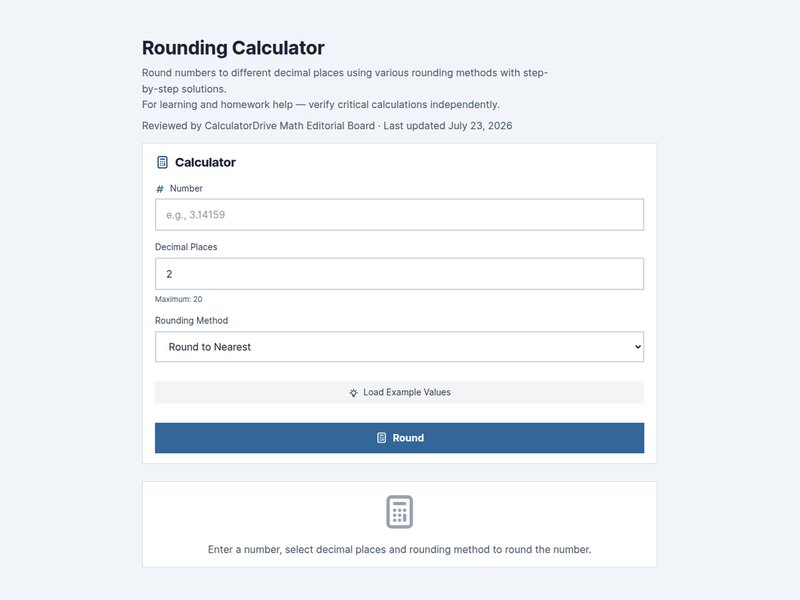
This guide covers all three. Try any value in the rounding calculator as you read — some of this is easier to believe once you've watched it happen.
The basic rule
Look at the digit immediately after your cut-off point. If it's 5 or more, round up. If it's 4 or less, round down. Everything past the cut-off gets dropped.
- 3.14159 to two decimal places: the third decimal is 1, so round down → 3.14
- 3.14159 to three decimal places: the fourth decimal is 5, so round up → 3.142
- 1,247 to the nearest hundred: the tens digit is 4, so round down → 1,200
- 1,247 to the nearest ten: the units digit is 7, so round up → 1,250
Notice what those last two do. The same number rounds down to 1,200 and up to 1,250, depending entirely on where you cut. Which is why "just round it off" is an incomplete instruction — round it off to what?
Decimal places or significant figures?
These get used interchangeably in conversation and they are not the same thing.
Decimal places count digits after the decimal point. Significant figures count meaningful digits starting from the first non-zero digit, wherever the point happens to sit.
The difference shows up hardest on very small numbers:
| Number | To 3 significant figures | To 3 decimal places |
|---|---|---|
| 0.004508 | 0.00451 | 0.005 |
| 45,678 | 45,700 | 45,678.000 |
| 3.14159 | 3.14 | 3.142 |
Look at 0.004508. To three decimal places it collapses to 0.005 — you've thrown away nearly all the information. To three significant figures it's 0.00451, which preserves the precision you actually had. The leading zeros are placeholders telling you the scale; they aren't significant, so counting starts at the 4.
That's why science and engineering work in significant figures. They express precision independently of magnitude, which decimal places can't do. Writing very large and very small numbers this way is formalised by the scientific notation calculator.
The half-way problem, and two valid answers
What should 2.5 become, rounded to a whole number?
There's no single right answer. There are two established conventions, both in active use, and they disagree.
Round half up
Anything ending in exactly 5 goes up. 2.5 → 3, 3.5 → 4. This is what most of us were taught at school and what most pocket calculators do. It's simple and predictable.
Round half to even, or "banker's rounding"
Half-way values go to the nearest even number instead. 2.5 → 2, but 3.5 → 4. This is the default in Python, in a lot of spreadsheet financial functions, and in several accounting standards.
It looks arbitrary until you add up a long column. Rounding every single half upward introduces a small but perfectly consistent upward bias. Across a hundred transactions that's noise; across a bank's daily settlement runs it's real money moving in one direction for no reason. Sending halves alternately up and down cancels the bias out. That's the whole justification, and it's why finance adopted it.
So when two tools disagree about 2.5, neither is broken. They've made different, defensible choices. The only question worth asking is which convention your context requires.
Why 2.675 rounds to 2.67
Ask most software to round 2.675 to two decimal places and you'll get 2.67, not the 2.68 you were expecting. This gets reported as a bug constantly. It isn't one.
The value 2.675 cannot be stored exactly in binary. What actually gets stored is approximately 2.67499999999999982. That number is genuinely below the half-way point, so rounding it down is correct. The calculator rounded the number it had — which isn't quite the number you typed.
Here's a pair that shows it neatly. Under banker's rounding, 0.125 goes to 0.12: 0.125 is exactly representable in binary, so the half-to-even rule genuinely applies and picks the even digit. But 0.135 goes to 0.14, because it's stored a fraction above the half-way mark and so rounds up on magnitude alone, never reaching the tie-break rule. Same rule, same number of decimals, different outcomes — decided by how each value happens to sit in binary.
This affects essentially every tool that stores decimals in binary, which is almost all of them. Where exactness is legally required — currency, tax, invoicing — serious systems use decimal arithmetic types rather than binary floating point, specifically to sidestep this.
Round once, at the end
If you take one habit away from this guide, take this one: carry full precision through your working and round only the final answer.
Rounding at each step compounds the error, and it compounds faster than people expect. Three timesheet entries of 2.4 hours each: round every one to the nearest whole hour first and you get 2 + 2 + 2 = 6 hours. Add them first and you get 7.2, which rounds to 7 hours. A whole hour has evaporated, and every individual rounding was performed correctly.
Scale that across a payroll, an invoice run, or a set of lab measurements and small consistent losses turn into figures that don't reconcile. The fix costs nothing: keep the long decimals until the moment you present the number.
Rounding is not truncating
Worth separating, because they're easy to confuse. Truncating just chops digits off: 2.789 truncated to one decimal place is 2.7. Rounding looks at what it's discarding first, so 2.789 rounds to 2.8.
Truncation always pulls toward zero, which means it introduces bias in a way rounding doesn't. Some systems truncate deliberately — certain interest and tax calculations are specified that way — but if you truncate when you meant to round, every one of your figures is slightly low.
The mistakes worth watching for
- Rounding at every step instead of once at the end.
- Double rounding. 2.44 → 2.4 → 2 is wrong. 2.44 rounds directly to 2.
- Confusing decimal places with significant figures — they give very different answers for small values.
- Assuming your half-way rule is universal. Check what your context expects.
- Truncating when you meant to round, which biases everything downward.
Where to go next
Rounding usually happens at the end of some other calculation. For the percentage arithmetic that so often precedes it, see our percentage guide and the percentage calculator. For divisions that produce endless decimals, the long division calculator and our step-by-step division guide explain where to stop and why.
Frequently asked questions
What are the basic rounding rules?
Look at the digit after your cut-off point. 5 or more rounds up, 4 or less rounds down, and everything past the cut-off is dropped.
Does 2.5 round to 2 or 3?
Both are standard. Round-half-up gives 3, which is what most people are taught. Round-half-to-even — banker's rounding — gives 2, and is the default in finance and in many programming languages.
Why does my calculator round 2.675 down to 2.67?
Because 2.675 can't be stored exactly in binary. The stored value is about 2.674999999999999822, which sits below the half-way point, so rounding down is correct for the number it actually holds.
What's the difference between decimal places and significant figures?
Decimal places count digits after the point; significant figures count meaningful digits from the first non-zero digit. 0.004508 is 0.005 to three decimal places but 0.00451 to three significant figures.
Why shouldn't I round at every step?
Because the errors accumulate. Three entries of 2.4 hours rounded individually give 6 hours; added first and then rounded they give 7. Carry full precision and round once at the end.
Is the rounding calculator free?
Yes. The rounding calculator is free, needs no sign-up, and runs in your browser. Every tool is on the math calculators page.
How We Created This Guide
Rounding results were produced programmatically and inspected at full floating-point precision to show exactly why half-way cases resolve as they do. Both round-half-up and round-half-to-even are presented as valid conventions, because both are in active standard use.
Sources & References
Formulas, conventions and worked examples in this guide follow standard mathematical references and published standards bodies:
Accuracy note: Worked examples here are rounded for readability, and calculators can legitimately disagree in the last decimal place because of floating-point storage and differing rounding rules. For graded coursework or financial reporting, follow the rounding convention your instructor, standard, or regulator requires.
Written by
sami
No comments yet. Be the first to comment!